Promo Codes
Give players a code they type at checkout to get money off your coaching fee.
Opening Promo Codes
- Phone: tap More in the bottom bar, then Promo codes. It's also a row on Profile.
- Desktop: click Promo codes in the sidebar.
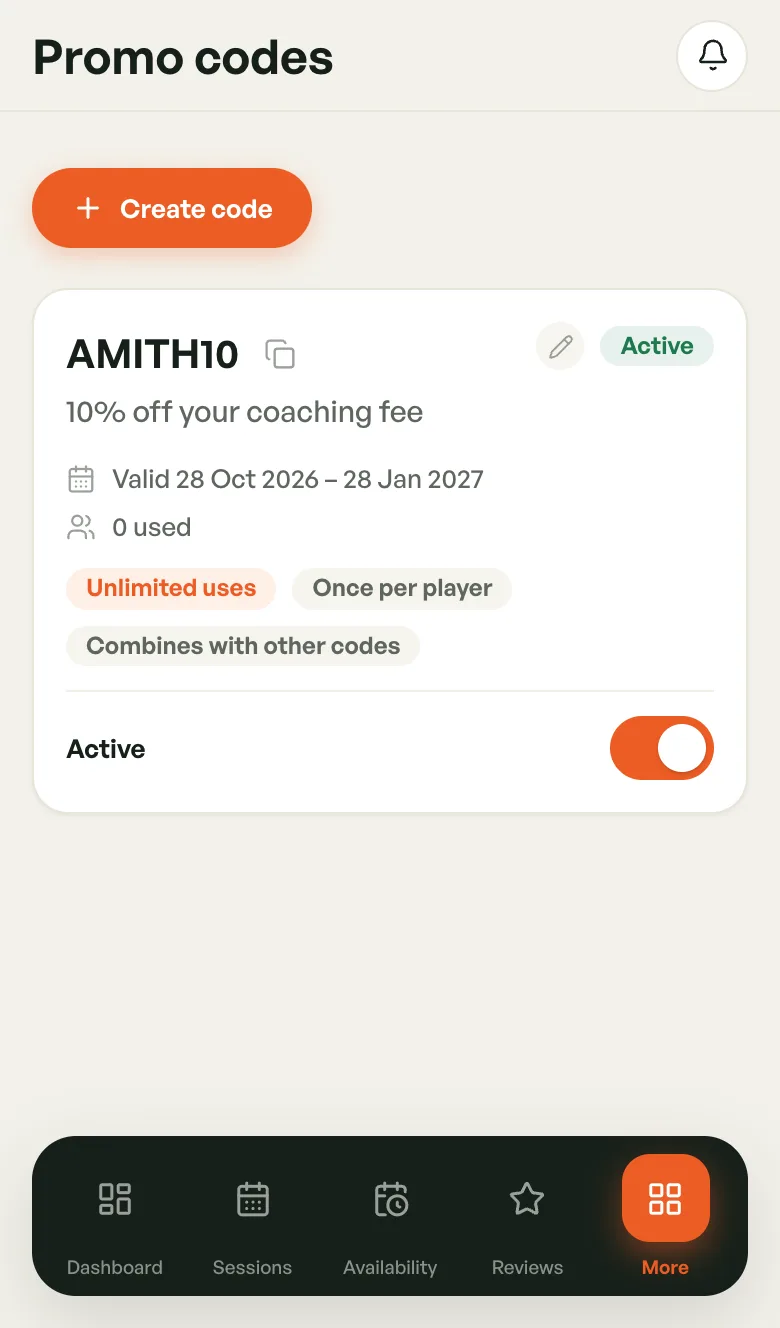
Each code has a card showing the discount, the dates it's valid, how many times it's been used, and its rules.
Creating a Code
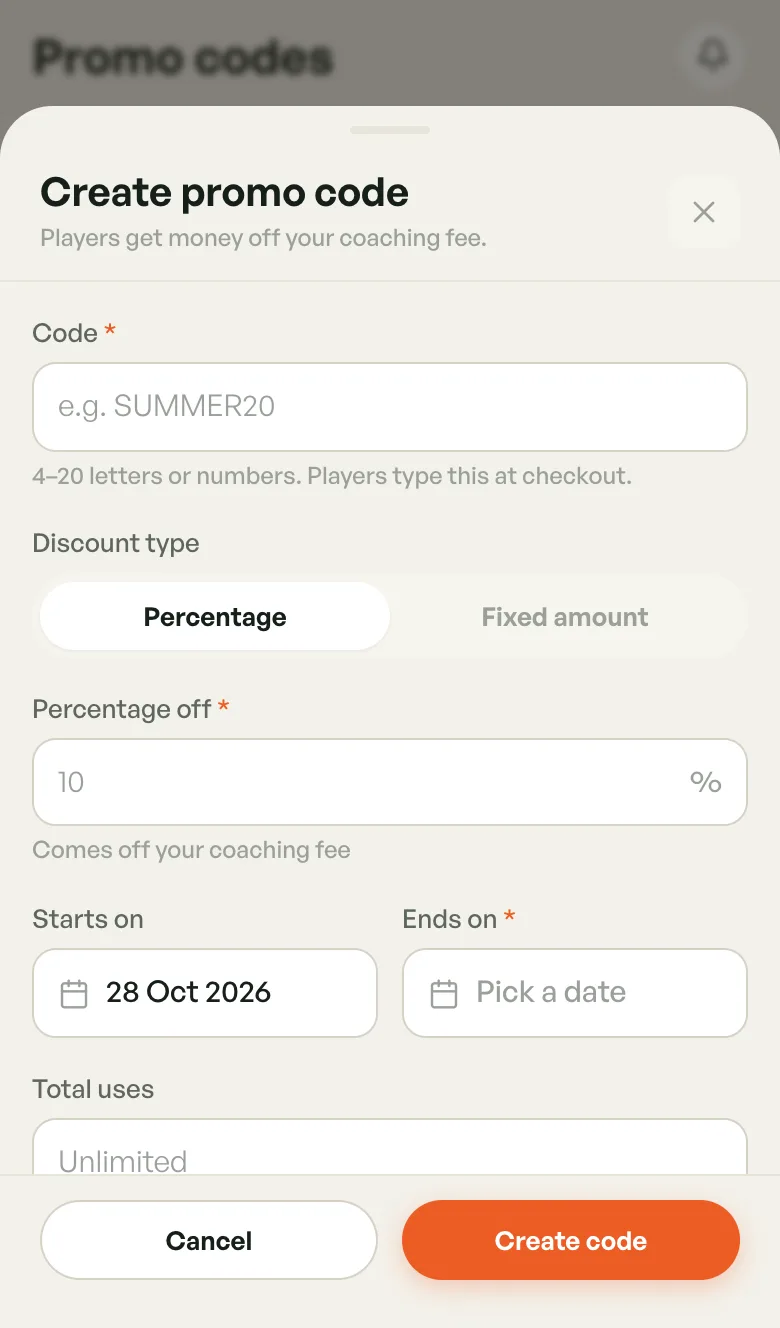
- Tap Create code.
- Enter the Code: 4–20 letters or numbers, e.g.
SUMMER20. - Pick a Discount type: Percentage or Fixed amount.
- Enter the Percentage off (more than 0, up to 100) or the Amount off in Rs.
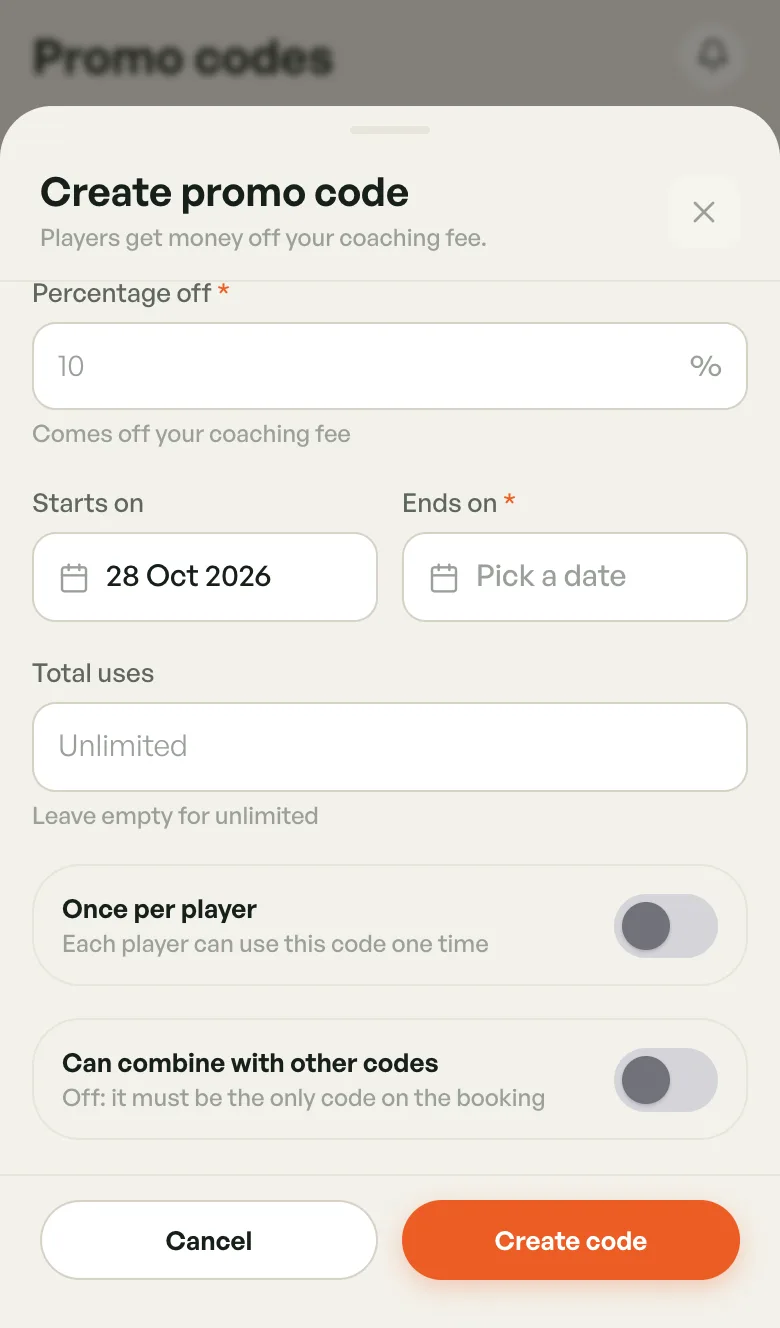
- Set Starts on (today by default) and Ends on (required).
- Optionally set Total uses. Leave it empty for unlimited.
- Turn on Once per player if each player may use it only once.
- Turn on Can combine with other codes to let players use it alongside other codes. Off, it must be the only code on the booking.
- Tap Create code.
The discount comes off your coaching fee only. A coach's code works wherever you coach, so there are no venues to pick.
Managing Codes
- Copy — tap the copy icon next to the code to share it.
- Edit — tap the pencil. Once a code has been used, the code itself can't be renamed, but you can still change the other settings.
- Pause — turn off the Active switch. Turn it back on to resume.
If the switch reads Paused by BookMyCourt, the BookMyCourt team paused the code and you can't switch it back on. Contact support.
Code Status
- Active — players can use it now.
- Scheduled — its start date hasn't arrived yet.
- Paused — switched off, by you or by BookMyCourt.
- Expired — past its end date.
- Used up — it reached its total uses.