Court Availability
A week of one court at a glance — what's booked, what's free, and how hard the court is working.
Opening It
- Facilities → open the facility
- Open the court
- Tap Availability
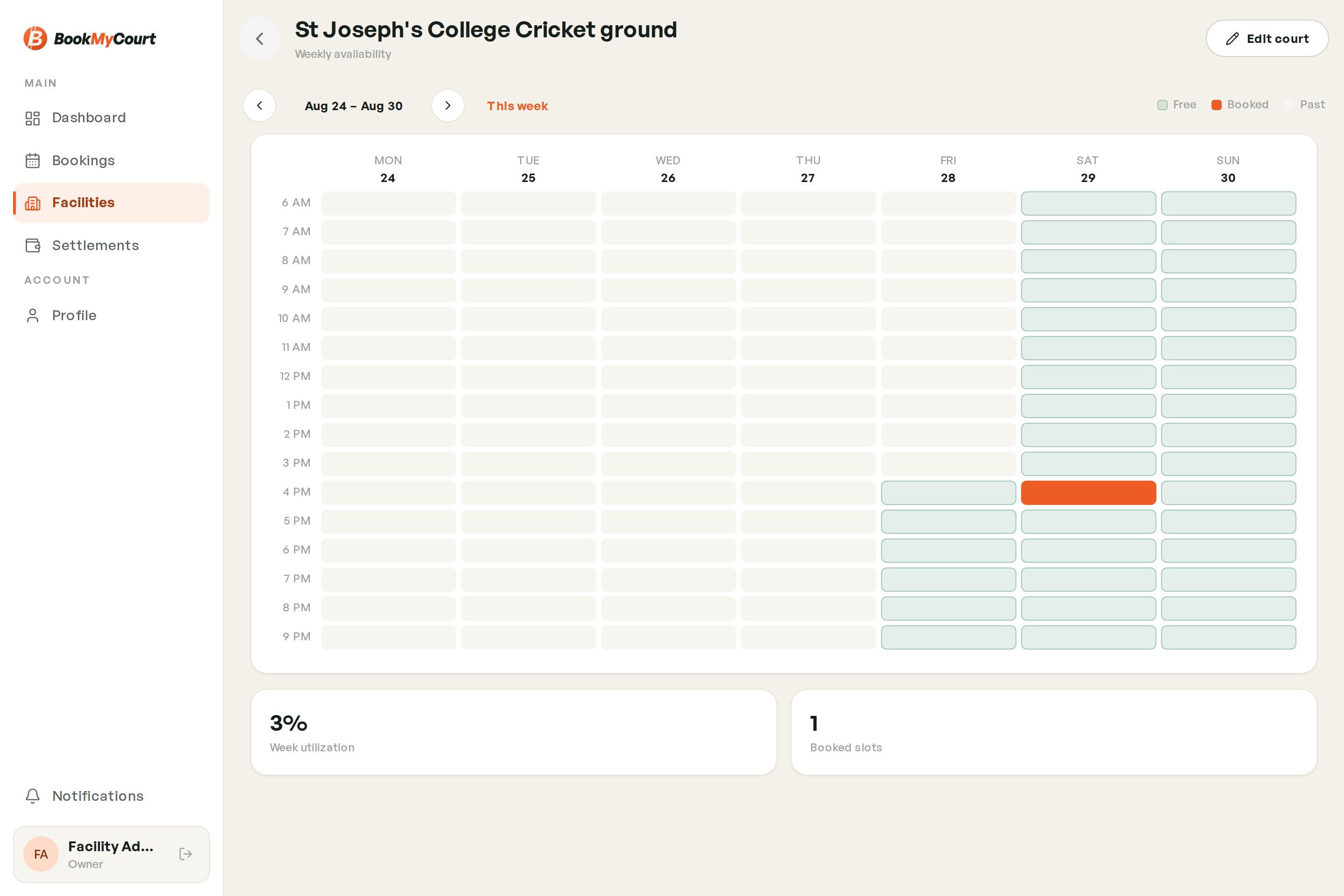
Desktop — The Heatmap
Hours run down, days run across. Each cell is one hour on that court:
| Cell | Meaning |
|---|---|
| Free | Bookable and unbooked |
| Booked | Someone has it |
| Past | Already happened |
Use the arrows to step to another week.
Mobile — Day By Day
On a phone you get a day picker with the slot list beneath it, showing the same free / booked / past states one day at a time.
Utilization
Beneath the grid you'll see Week utilization as a percentage and the number of booked slots. A legend above the grid shows the Free / Booked / Past colours.
This screen reports availability only — it shows that an hour is taken, not who took it or what they paid. For that, open the booking from the calendar.
Making More Time Bookable
If a court looks emptier than it should, check that the facility's operating hours actually cover the times you expect to sell.