Comparing Facilities
Benchmark two or three venues side by side.
Only useful with more than one venue
If your account holds a single facility there's nothing to compare.
Opening It
From Facilities, tap Compare.
Picking Venues
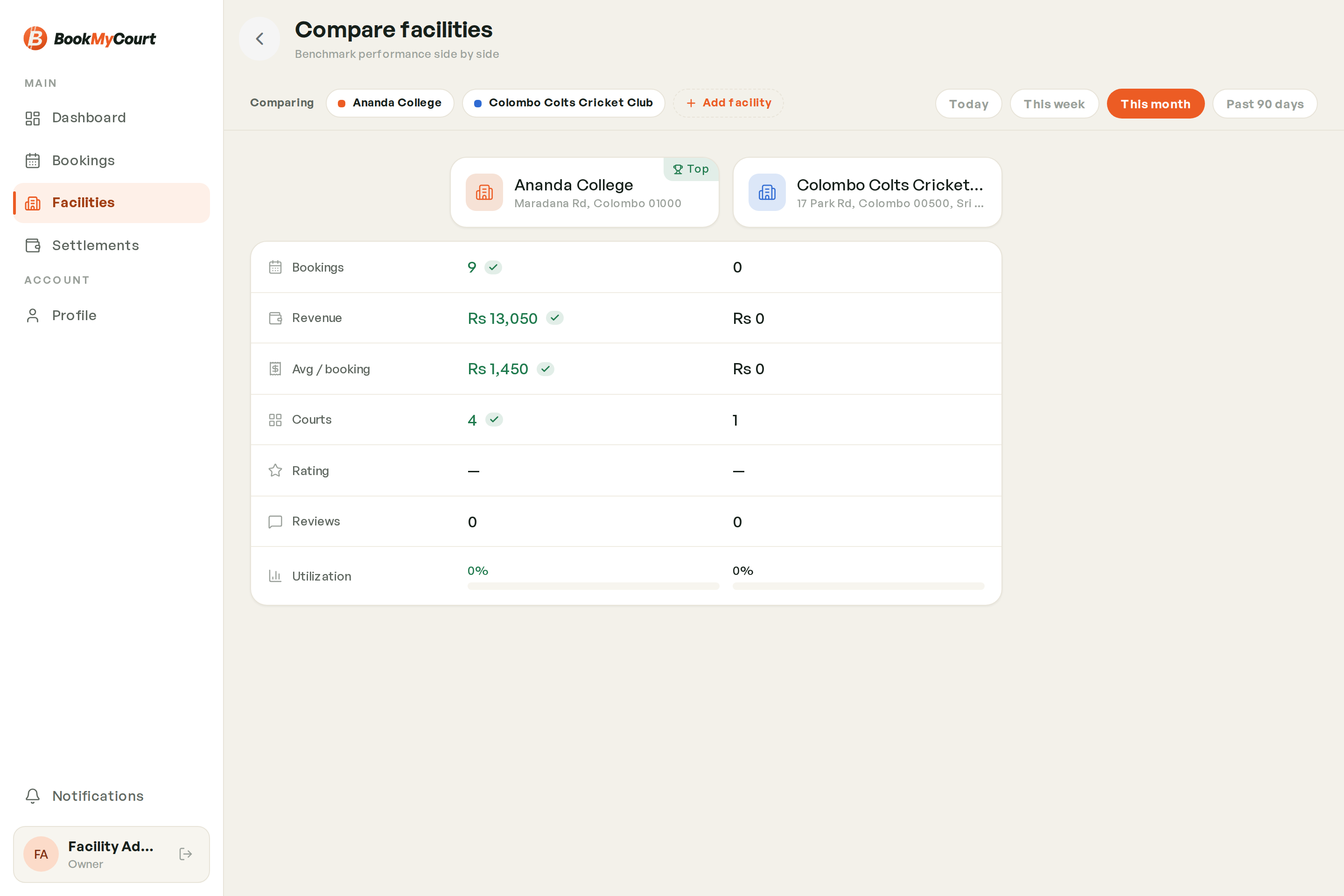
Choose two or three facilities. On desktop they appear as columns; on mobile you get an A-vs-B head-to-head with a picker at the top.
Choosing A Period
A date-range selector sits above the comparison. Everything below recalculates for the range you pick.
What Gets Compared
| Metric | Meaning |
|---|---|
| Bookings | How many bookings in the period |
| Revenue | Gross taken |
| Average per booking | Revenue divided by bookings |
| Courts | How many courts the venue has |
| Rating | Average player rating |
| Reviews | How many reviews |
| Utilization | How much of the bookable time was actually booked |
Utilization is the one worth watching — a venue with fewer bookings but higher utilization is simply smaller, not underperforming.